
Styling Three Distinct Characters
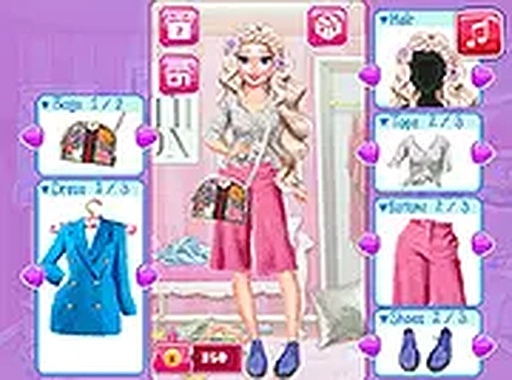
Players begin by selecting one of three characters, each with a unique appearance and personality. The wardrobe offers a broad selection of tops, bottoms, dresses, footwear, headwear, handbags, and decorative items. The core activity involves dragging and dropping pieces onto the selected character to preview the look. There is no right or wrong combination—the goal is simply to create outfits that feel cohesive and visually pleasing. Switching between characters or resetting an outfit is easy, encouraging experimentation without any penalty.
Photo Studio & Decoration Tools
Once an outfit is complete, a built-in camera tool lets players capture a snapshot of their creation. After taking the photo, a variety of filters and stickers can be applied to personalize the image. This feature adds an extra layer of creativity, allowing players to adjust colors, add playful graphics, or frame the shot in a unique way. The process is entirely optional, so those who prefer pure styling can skip it entirely.
Sharing on the In-Game Social Feed
After decorating a photo, players can post it to a pretend social media page within the game. This simulated feed displays creations from other players, offering inspiration and a sense of community. There are no real social media accounts or external links involved, making it a safe space for younger audiences. Viewing others’ outfits can spark new ideas for color combinations or accessory pairings.
Relaxed, Pressure-Free Experience
The game deliberately avoids timers, scores, or any form of competition. Players can take as much time as they like browsing the wardrobe, trying different looks, and refining their outfits. This design makes it suitable for casual play sessions, whether for a few minutes or longer periods. The interface works with both touch controls on mobile devices and mouse input on computers, with a full-screen option available for a more immersive view.
Accessibility & Technical Details
Wardrobe Stylist runs directly in a web browser on computers, tablets, and phones. No downloads, installations, or account registrations are required. The game loads quickly and responds smoothly to touch or click interactions. The full-screen mode is particularly useful on smaller screens, allowing players to see outfit details more clearly. Because there are no ads or in-app purchases, the experience remains uninterrupted and family-friendly.
Comments
0 comments