
Key Hunting Basics
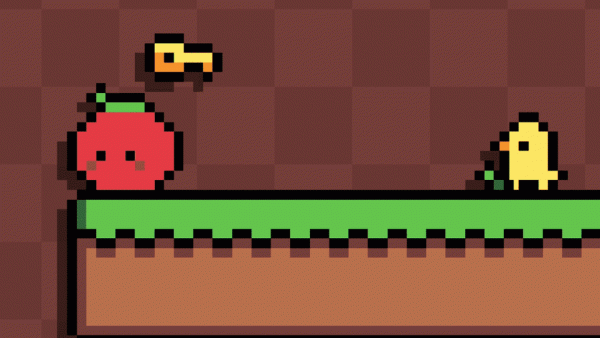
Each stage in Happy Duck Key Hunt asks one clear question: where are the keys? Some sit in plain sight, while others are tucked into corners that reward exploration or demand a well-timed jump. Collecting every key triggers a door that leads to the next stage. That loop keeps the focus on discovery and careful movement rather than combat or score chasing. [IMG_1]
Controls and Gentle Learning Curve
The duck responds to simple directional inputs plus a jump action. Touch controls appear on-screen for mobile devices, and desktop players can use keyboard arrows. The learning curve stays gentle throughout, so younger players can enjoy the experience without frustration. There is no complex button combination to memorize; the challenge comes from reading the level and timing jumps.
Level Layouts and Moving Obstacles
Stages introduce slightly more complex layouts as you progress, along with additional moving obstacles such as rolling tomatoes. The difficulty remains approachable despite this gradual increase. Most levels can be completed in just a few minutes, which makes the game suitable for quick sessions or longer play periods. Replaying a stage is a practical way to improve your route and find any keys you missed. [IMG_2]
Visual Style and Mood
The game uses a vibrant pixel-art aesthetic that recalls classic 8-bit titles. Bright backgrounds and a friendly duck character create a warm, inviting tone. There are no intense or frightening elements, reinforcing the relaxed, positive mood that runs throughout the experience.
Comments
0 comments