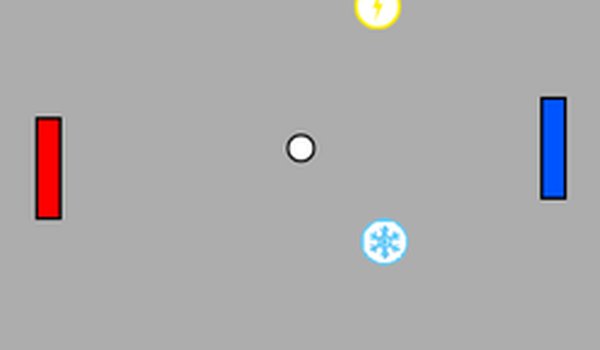
Table Tennis Throwback

Table Tennis Throwback

Developer: Family Creations
Updated: 2026-07-21
Action Mouse Only Retro

Reviews

Table Tennis Throwback successfully modernizes the classic paddle game formula. The mouse controls are responsive and intuitive, making it easy to pick up. The random power-ups, like paddle enlargement and speed boosts, introduce just enough unpredictability to prevent monotony. Its minimalist visual design and lack of complex systems make it an ideal choice for casual, stress-free gaming sessions. A solid choice for fans of retro-inspired simplicity.

About this game

Core Gameplay Loop

Table Tennis Throwback centers on a simple objective: use your paddle to keep the ball in play. The ball bounces off your paddle and the walls, but if it slips past, the round ends. This straightforward mechanic is easy to grasp but offers depth as you learn to predict the ball's trajectory and adjust your paddle position accordingly.

Power-Up System

During each match, power-ups appear randomly on the screen. These temporary boosts can enlarge your paddle for easier coverage or increase the ball's speed for a greater challenge. Collecting them adds an element of surprise, ensuring that no two rounds play out exactly the same way.

Controls and Accessibility

The game uses only the mouse for control, making it accessible to players of all ages and skill levels. Move the paddle left or right by moving your mouse. To pause, press the P key on your keyboard. The interface is minimal, letting you focus entirely on the action.

Visual and Audio Design

The visual style is clean and uncluttered, with a simple background and clearly defined paddle and ball. Sound effects are subtle, providing feedback without being distracting. This design choice keeps the experience calm and focused, ideal for casual play.

Session Flexibility

Whether you have a few minutes or a longer stretch of time, Table Tennis Throwback fits your schedule. Each round is quick, and the lack of a complex story or progression system means you can jump in and out without losing track. The random power-ups keep short sessions varied and enjoyable.

Family-Friendly Appeal

With no violent content, mature themes, or complex rules, this game is suitable for players of all ages. The simple mechanics and gentle learning curve make it a good choice for family gaming sessions or for introducing younger players to classic game concepts.

Compatibility

This H5 game runs smoothly on:
• Desktop computers (Windows / Mac) • Mobile phones (iPhone / Android)
• Tablets (iPad / Android)
🌐 Best experienced with Chrome, Safari, or Edge

Faq

Can I play Table Tennis Throwback on a mobile device?
The game is designed primarily for desktop use with mouse controls. Mobile compatibility is not mentioned in the available information, so it is best played on a computer or laptop with a mouse.
Are there different difficulty levels in Table Tennis Throwback?
The available information does not specify multiple difficulty settings. The challenge comes from the increasing ball speed and the random power-ups, which naturally adjust the pace of each round.
Does Table Tennis Throwback have a multiplayer mode?
Based on the information provided, the game appears to be a single-player experience. There is no mention of local or online multiplayer options, so it is focused on individual play.
Can I customize the paddle or ball appearance?
The game description does not mention any customization options for the paddle or ball. The visual design is kept clean and simple, with no apparent ability to change colors or skins.
Is there a score or high-score tracking system?
The available information does not confirm a formal scoring or high-score feature. The game focuses on the immediate challenge of each round rather than long-term progress tracking.
What happens when I collect a power-up in Table Tennis Throwback?
Collecting a power-up provides a temporary boost, such as a larger paddle or a faster ball. These effects last for a short period and add variety to the gameplay, making each round feel different.

Comments

0 comments
U
User
★ ★ ★ ★ ★
Loading comments...