
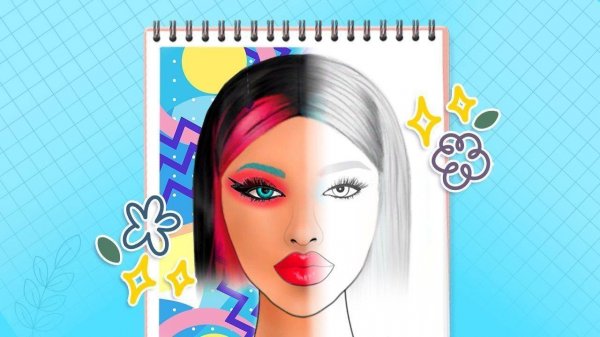
Creative Canvas for Color Exploration
Virtual Color Palette Studio provides a blank digital face chart where users can apply various cosmetic colors and styles. The platform is designed to simulate the experience of a makeup artist's palette without the need for physical products. This approach allows for unlimited experimentation with different shades and combinations, from subtle everyday looks to more artistic expressions. The digital format eliminates cleanup and cost, encouraging users to try bold ideas they might not attempt with real cosmetics.
Learning Through Hands-On Practice
The core of the experience is educational. Users can learn color theory and design principles by mixing and matching colors directly on the digital canvas. There are no time constraints or penalties, which reduces the pressure often associated with learning new skills. Beginners can start with simple color applications, while more experienced users can focus on blending techniques and advanced color combinations. The platform supports gradual skill development through repeated practice.
Intuitive Controls for Seamless Creation
The interface relies on simple tap-and-drag controls to apply colors to specific facial features. Users select from a wide palette of eyeshadows, blushes, lipsticks, and other cosmetic elements. The controls are responsive and designed to be accessible for all age groups. An undo and redo function allows for easy correction of mistakes, promoting a trial-and-error learning process. The clean layout helps users focus on their creative choices without distraction.
Building a Personal Portfolio of Looks
Users can save their completed designs and revisit them later. This feature enables the creation of a personal portfolio that tracks progress over time. By comparing earlier works with newer ones, users can see how their skills have improved. The saved looks can also serve as inspiration for future projects. This portfolio-building aspect adds a sense of accomplishment and motivates continued practice.
Safe Environment for Artistic Growth
The platform is ad-free and focuses solely on creativity and education. There is no competitive element, which helps maintain a relaxed atmosphere. Users can explore at their own pace without worrying about external judgments. This makes the studio suitable for individuals who want to build confidence in their artistic abilities. The environment is designed to be supportive and encouraging, fostering a positive learning experience.
Comments
0 comments