Brick Breaker Arcade Classic

Brick Breaker Arcade Classic

Developer: Quest Core Interactive
Published: 1709654400
Updated: 2026-09-30
Arcade Classic Retro

Reviews

Brick Breaker Arcade Classic sticks to the arcade formula without extra modes or distractions. The appeal is in the pacing: the ball starts slow, then accelerates as blocks disappear, so early comfort gives way to genuine pressure. Keyboard and mouse support keeps it accessible on desktop, and full screen mode reduces clutter. The main limitation is variety; the source describes a single block-clearing objective with no alternate modes. Players who enjoy reflex-based score chasing will get the most from it.

About this game

Core Objective and Moment-to-Moment Play

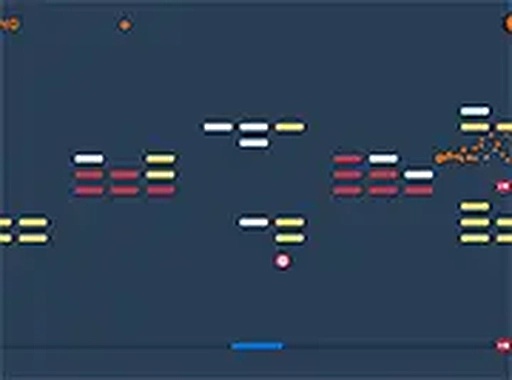
Brick Breaker Arcade Classic puts you at the bottom of the screen with a paddle and a single ball. Your job is to keep the ball in play and direct it upward into a wall of colorful blocks. Every block you hit and clear adds points to your score. The round ends when the ball falls past your paddle. Clear all the blocks to complete the level.

Controls and Desktop Focus

The game is built for desktop use and works with either a keyboard or a mouse. You move the paddle left and right along the bottom edge. Full screen mode is available if you want fewer distractions. Because the controls are limited to horizontal movement, the challenge comes from reading the ball's angle and reacting before it reaches the paddle.

How Difficulty Scales

At the start, the ball moves at a manageable pace. As you destroy more blocks, the ball speeds up. That acceleration changes the timing of every return and leaves less room for late reactions. The block layout stays in place, but your margin for error shrinks with each cleared section. This is the main reason the game is easy to pick up but hard to master.

Practical Tips for Staying in the Rally

Keep the paddle centered under the ball whenever possible so you can move in either direction. After the ball strikes a block, watch the angle it takes and start moving early. Small, smooth paddle adjustments work better than large swings that overshoot the ball. Clearing blocks from the top first can open lanes that give you more time to reposition. As the ball speeds up, maintain a steady rhythm instead of chasing it frantically.

Editorial Notes

Compatibility

๐Ÿ’ป Desktop | ๐Ÿ“ฑ Mobile | ๐Ÿ“Ÿ Tablet
โ€“ All supported ยท Best with Chrome or Safari

Faq

Is Brick Breaker Arcade Classic free to play?
Yes. The game is free to play in a browser and requires no download. You can start a round directly on the page. There is no mention of paid content, accounts, or in-game purchases, so the experience is limited to the core paddle-and-ball gameplay described.
Can I play Brick Breaker Arcade Classic on a phone or tablet?
The game is designed for desktop use and works best with a keyboard or mouse. The input description does not mention touch controls or mobile support. If you try it on a phone, the paddle controls may not respond as intended, so a desktop or laptop is the safer choice.
What happens when the ball falls past the paddle?
If the ball falls past the paddle, the game ends. There is no mention of extra lives, continues, or a life counter in the source material. The objective is to keep the ball in play for as long as possible while clearing blocks and building your score.
Does Brick Breaker Arcade Classic have multiple levels?
The game describes a level that is completed when all blocks are cleared. The source does not specify a level count or how the layout changes after completion. What is clear is that the ball speeds up as you destroy more blocks, which raises the difficulty within a round.
Is there a way to make the game easier?
The game does not mention difficulty settings or assist options. The most reliable way to make it easier is to improve your paddle positioning. Keeping the paddle centered, moving in small increments, and anticipating the ball's angle after each block hit all reduce the chance of a miss.
Can I play Brick Breaker Arcade Classic in full screen?
Yes. Full screen mode is available and is described as a way to make the experience more immersive. It removes browser interface elements from view, which can help you focus on the ball and paddle. The controls remain the same whether you play in a window or full screen.

Comments

0 comments
U
User
★ ★ ★ ★ ★
Loading comments...